
Flipkart Wrong Returns Seller Protection Systems You Should Know About
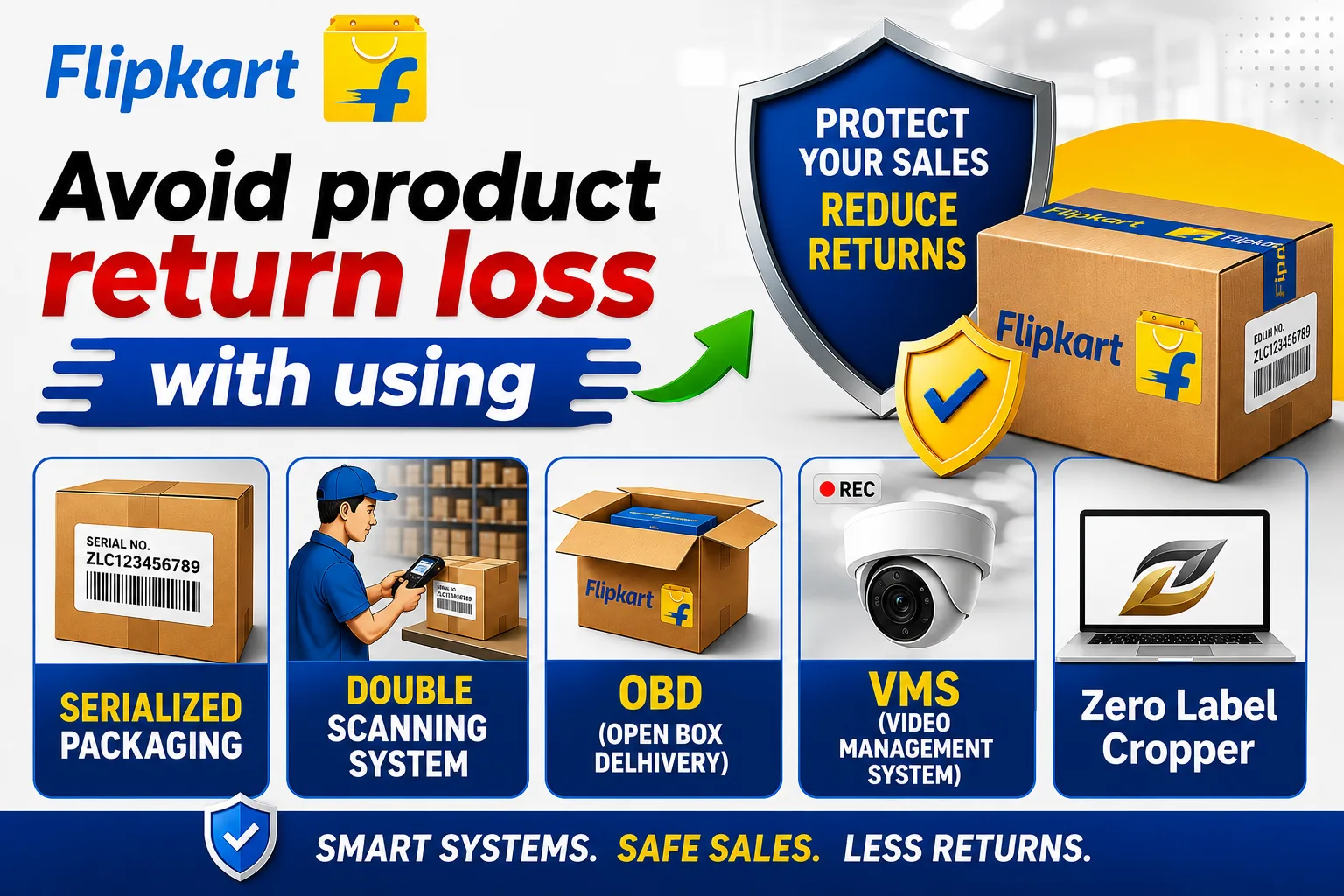
Flipkart Wrong Returns: Seller Protection Systems You Should Know About
Category: Flipkart Seller Guide Suggested reading time: 4–5 minutes Author: Zero Label Cropper Team
Flipkart Wrong Returns Are Becoming a Serious Problem for Sellers
You dispatch the correct product.
The customer receives the order.
A return is initiated.
The parcel comes back to you.
And when you open it, you discover something completely different:
- A different product
- Used or damaged product
- Missing product
- Empty package
- Wrong size or colour
- Product replaced with a low-value item
- Packaging that appears tampered with
For an e-commerce seller, this is more than just a return.
It can become a direct financial loss.
And the most frustrating part is that sometimes the seller knows that the correct product was dispatched—but proving it later can be difficult.
Flipkart's return policy itself recognizes checks around whether the returned product is correct, complete, unused, undamaged and properly packaged. Its published policy also says product identifiers such as the name/image/brand/serial number/article number/barcode may be checked during return pickup.
So the real question for sellers is:
How can you create stronger traceability and evidence around your shipments?
There are several Flipkart processes that sellers should know about.
In this article, we will discuss three:
1. Serialized Packaging + Double Scanning
2. OBD — Open Box Delivery
3. VMS — Video Management System
These are not magic solutions that guarantee that every fraudulent return will disappear.
Instead, think of them as different layers of verification and traceability.
1. Serialized Packaging + Double Scanning
What Is Serialized Packaging?
Serialized packaging means using packaging material that carries a unique identification/serial number or barcode associated with the shipment/packaging process.
Instead of treating every courier bag as simply “one courier bag,” serialization creates an additional identification layer.
This becomes particularly useful when you are trying to establish:
Which package was used for which order?
Flipkart provides approved packaging guidance for sellers, and its seller ecosystem uses scanning workflows around shipments and returns.
What Is Double Scanning?
The idea behind double scanning is to create additional scanning checkpoints during the packaging/dispatch workflow.
Rather than relying only on manual identification, the shipment and packaging can be associated through the scanning process.
This creates a more structured connection between:
Order → Product → Package → Shipment
That traceability can become important when investigating a wrong-return or logistics-related dispute.
The key idea is simple:
The more reliable your shipment identification process is, the easier it can be to investigate what happened later.
How Can a Seller Activate Serialized Packaging and Double Scanning?
One important point that many sellers don't know is that activating this system does not mean the seller has to perform the double scanning manually.
Once the system is activated for your account, the courier partner performs the required double scanning at the time of pickup.
The seller's main responsibility is to get the system activated and use the applicable serialized packaging correctly.
Step 1 — Log in to Flipkart Seller Hub
Log in to your Flipkart Seller Hub and check your account for the applicable packaging, compliance or seller-support options.
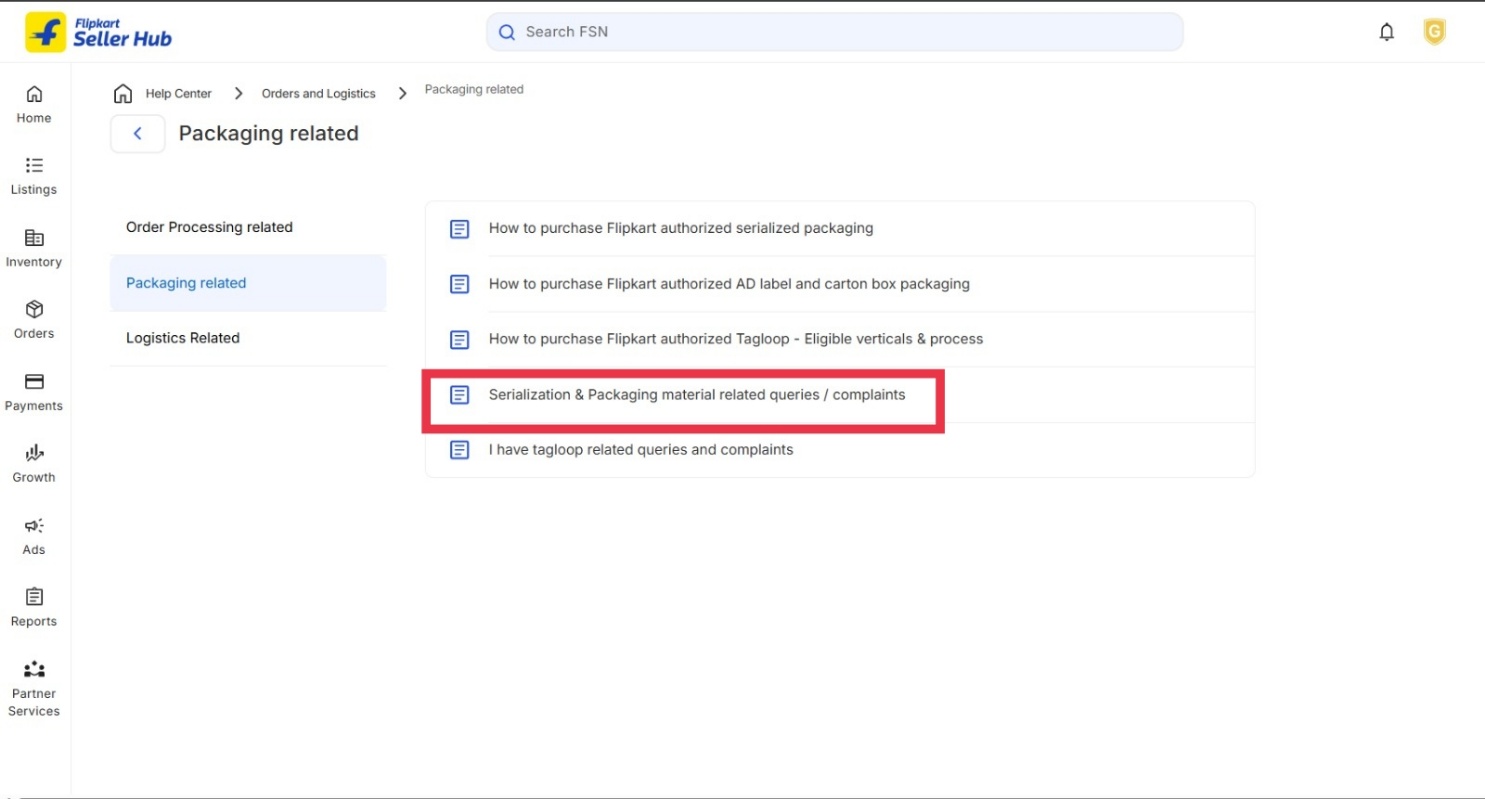
Step 2 — Raise a Seller Support Ticket
Raise a ticket with Flipkart Seller Support requesting activation of:
Serialized Packaging + Double Scanning
You can clearly mention that you want to activate the system for your seller account and ask Flipkart to confirm the applicable procedure.
📸 Screenshot: How to Raise the Ticket
Step 3 — Start Using the Applicable Serialized Packaging
Once Flipkart confirms activation and provides the applicable instructions, use the prescribed/approved serialized packaging according to the process communicated by Flipkart.
Don't assume that simply purchasing a barcode/serialized bag from an outside seller automatically means that Double Scanning is activated for your account.
Activation of the system and purchasing packaging are two different things.
Step 4 — The Courier Partner Performs the Double Scanning
This is an important point:
The seller does not have to perform the Double Scanning manually.
Once the system is activated, the courier partner performs the required double scanning during the pickup process.
2. OBD — Open Box Delivery: Check This Before Accepting a Return
One of the most useful things a Flipkart seller should know is that the return handover process can contain an OBD (Open Box Delivery) eligibility check.
Flipkart's current return workflow includes OBD-related information. Its documentation shows that scanned return shipments can carry an obdDetails status indicating whether the shipment is OBD-eligible, and the End OTC summary also provides counts for obdEligible and obdFailed shipments.
This gives sellers an important opportunity:
Before accepting a return, check whether the return is OBD-eligible.
What Happens in an OBD Return?
The practical process for an eligible return can be understood like this:
Customer returns the product
↓
Logistics/Field Executive brings the return to the seller
↓
Seller checks the FE's device/process for OBD eligibility
↓
If OBD is available/eligible, ask for the OBD process to be followed
↓
The return parcel is opened for verification as per the applicable OBD process
↓
Seller checks the returned product
↓
If the product is correct → accept the return
If the product is wrong/damaged/mismatched → follow the applicable rejection/dispute process
The important point is that the seller should check OBD eligibility before simply accepting the parcel.
How Can a Seller Check Whether OBD Is Available?
You don't necessarily have to guess whether OBD is available.
Step 1 — Ask the Field Executive to check the return in their device
When the FE comes to your location with the return shipment, ask them to check the return through the normal Flipkart return handover process.
The current Flipkart workflow involves scanning the return shipments through the FE/Seller Hub return task. Flipkart's documentation shows that the scanning response can include obdDetails, including an eligible field.
Step 2 — Check for OBD eligibility
Ask the FE to check whether the particular return is showing as OBD eligible.
If the system/device shows the applicable OBD eligibility, proceed with the OBD process according to the instructions available to the FE.
Step 3 — Ask for the OBD process before accepting the parcel
If the return is OBD-eligible, the seller can request that the applicable Open Box Delivery/inspection process be followed before completing the handover.
What If the Return Is OBD Eligible?
If the return is showing as OBD eligible, don't treat it like an ordinary sealed return.
Ask the FE to follow the applicable OBD process.
The basic seller-side decision becomes:
Product is correct?
YES → Accept the return
Product is wrong/damaged/mismatched?
NO → Do not blindly accept it. Follow the applicable Flipkart process for handling/rejecting/disputing the return.
The exact action available to the seller may depend on the current Flipkart workflow and the return type.
What If OBD Is Not Showing?
This is where sellers should pay attention.
If your FE's device does not show the OBD eligibility/option for your return workflow, don't assume that OBD is unavailable permanently.
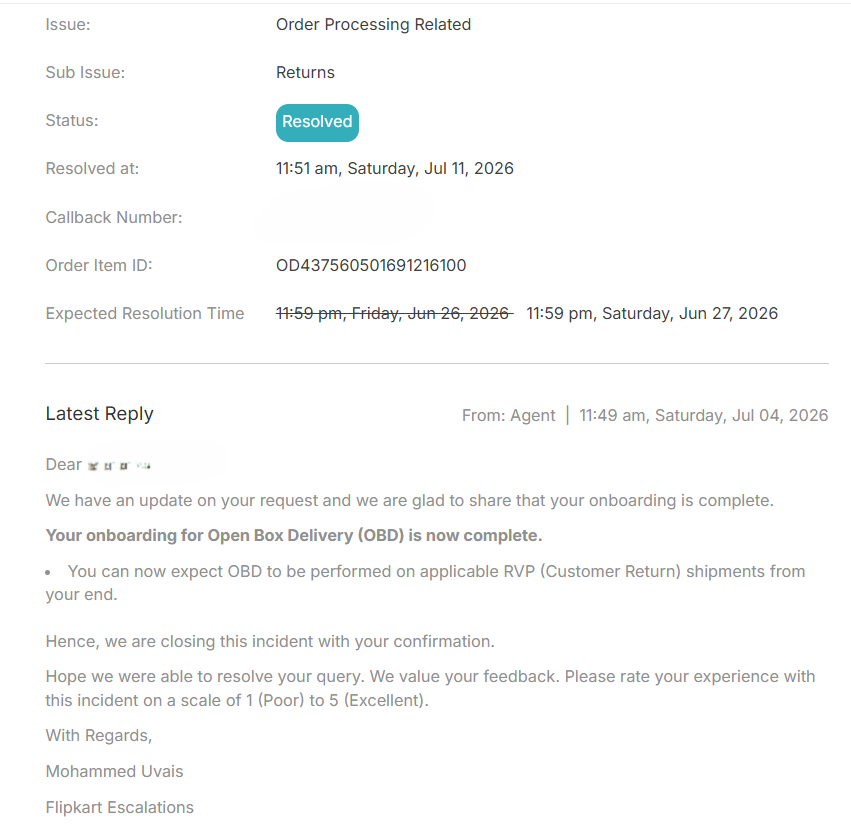
If your seller location/account is supposed to have OBD enabled but the option is not appearing, raise a Flipkart Seller Support ticket and ask them to verify your OBD eligibility/activation.
Suggested ticket wording:
Subject: Request to Activate/Verify OBD for Return Handover
Dear Flipkart Seller Support, We would like to use the OBD process for eligible return shipments at our seller location. Please check whether OBD is enabled for our seller account/location and, if not, please guide us through the activation process.
We would also like to know why OBD eligibility is not appearing during the return handover process.
📸 Screenshot: Raising the OBD Activation Ticket
“Don't wait until the FE leaves with a sealed return in your hand. Check OBD eligibility before completing the handover.”
3. VMS — Video Management System
Now we come to one of the most interesting systems for sellers dealing with wrong-return disputes.
What Is VMS?
VMS stands for Video Management System.
The basic concept is to create video evidence around the seller's packing/dispatch process.
Why is this important?
Because one of the biggest problems in a wrong-return dispute is:
“How do I prove what I actually packed?”
A properly implemented video-management process can provide evidence of the packing event and help establish what was packed and dispatched.
Current seller-industry material describes Flipkart VMS as a packing-video/evidence system associated with seller protection and claims.
How Can a Seller Activate VMS?
Because VMS availability and implementation can depend on the seller account and current Flipkart program requirements, sellers should first verify their status in Seller Hub.
Recommended activation process:
Step 1 — Check your Seller Hub
Look for VMS/Video Management System-related notifications, requirements or setup options.
Step 2 — Check whether your account is eligible/required
The availability or requirement may vary by seller and current Flipkart policy.
Step 3 — Raise a Seller Support ticket if VMS is not visible
Ask Flipkart Seller Support:
“Please confirm VMS eligibility/activation for my seller account and provide the current setup procedure.”
Step 4 — Complete the required setup
Depending on Flipkart's current process, this may involve:
- Camera setup
- Packing-station configuration
- Seller/account mapping
- Software/system setup
- Video recording requirements
- Internet/network requirements
Follow the current instructions provided by Flipkart rather than relying on an old YouTube tutorial or third-party setup guide.
Step 5 — Test before going live
Do a test packing process.
Check whether:
- The product is clearly visible
- The package is visible
- The relevant identification/order information is captured
- The recording is successfully stored/linked according to the required process
Step 6 — Maintain compliance
A VMS system is useful only if it is actually working during packing.
A camera sitting on a table but not recording properly is not meaningful evidence.
Which Protection Should a Seller Use?
The different protection mechanisms solve different parts of the problem. A strong seller-protection strategy should not depend on only one system.
| Protection | Main Purpose | Where It Helps |
|---|---|---|
| Serialized Packaging | Package identification and traceability | Packaging & shipment |
| Double Scanning | Additional scan-based verification | Dispatch/pickup workflow |
| OBD | Product verification where applicable | Return/delivery handover |
| VMS | Packing/dispatch video evidence | Seller warehouse |
| Zero Label Cropper | Identifying potentially suspicious/repetitive order patterns | Before dispatch |
Think of seller protection as a chain:
Risk Identification → Product → Packing → Package → Dispatch → Delivery → Return → Claim
Each mechanism can strengthen a different part of this chain.
How Zero Label Cropper Fits Into This
Wrong-return protection should not start after a suspicious return reaches your warehouse.
It should start before the order is dispatched.
Because once a fraudulent or high-risk order has already been delivered and returned, you may be left dealing with:
- A wrong product
- A damaged product
- A missing product
- A disputed return
- A lengthy claim process
- Financial losses
And in many cases, recovering that loss can be much more difficult than identifying the risk before dispatch.
That's where Zero Label Cropper takes a proactive approach.
From Reactive Claims to Proactive Decisions
Traditional seller thinking is often:
Wrong return received → Raise a ticket → Submit evidence → Wait for a claim decision
But what if you could identify potentially suspicious orders before dispatch?
Zero Label Cropper helps sellers analyse their order data and separate labels showing repetitive or suspicious buying patterns.
Depending on the available data and patterns identified, sellers can find orders that may deserve additional attention—for example, repetitive buying/return patterns or other suspicious order behaviour.
Instead of treating every order exactly the same, sellers can use this information to make a more informed decision.
The workflow becomes:
Orders received
↓
Process through Zero Label Cropper
↓
Suspicious/repetitive patterns identified
↓
Potentially risky labels separated
↓
Seller analyses the order
↓
Make a better dispatch decision
Why Prevention Can Be Better Than a Claim
A seller may spend considerable time and effort trying to prove that a returned product was wrong.
Even when you have evidence, a claim is still a post-loss process.
You have already:
- Packed the product
- Dispatched the order
- Paid the operational costs
- Handled the return
- Received the wrong/damaged product
- Started the dispute process
And there is no guarantee that every dispute will end in the seller's favour.
That's why pre-dispatch awareness can be more valuable than post-return recovery.
If your order data shows a repeated or suspicious pattern, you can review the order before dispatch and decide what action is appropriate for your business.
Zero Label Cropper: A Proactive Seller Tool
Zero Label Cropper is not designed to make the decision for you.
It gives you information and separation of potentially suspicious orders so that you can make a better-informed decision.
For example:
Normal orders → Process normally
Orders showing suspicious/repetitive patterns → Review before dispatch
The final decision remains with the seller.
This is important because a suspicious pattern does not automatically mean that the customer is fraudulent.
The purpose is to create awareness, not to blindly blacklist every customer.
Prevention + Protection = Stronger Seller Operations
The strongest approach is not to choose between proactive and reactive protection.
Use both.
Before Dispatch
Zero Label Cropper
→ Analyse order patterns → Separate potentially suspicious orders → Review risky orders → Make informed dispatch decisions
During Dispatch
Serialized Packaging + Double Scanning
→ Strengthen package identification and logistics traceability
VMS
→ Maintain applicable packing/dispatch evidence
During Return Handover
OBD, where applicable
→ Check eligibility → Follow the applicable verification process → Inspect the returned product before completing the appropriate handover process
If Something Goes Wrong
Evidence + Flipkart Support/Claim Process
→ Raise the appropriate ticket/claim → Submit relevant evidence → Follow the applicable Flipkart procedure
Don't Wait for the Loss to Happen
A wrong return can cost you the product value, shipping/handling costs, time and operational effort.
But a potentially suspicious order can sometimes be identified before the product leaves your warehouse.
That's the philosophy behind Zero Label Cropper:
Don't just react to fraudulent returns.
Become aware of potentially risky orders before dispatch.
Analyse. Identify. Decide.
Try Zero Label Cropper and make your dispatch process more data-driven.
Disclaimer
This article is an educational guide for Flipkart sellers and is based on publicly available Flipkart information plus general seller-operational guidance. Program availability, eligibility, activation procedures and Seller Protection/claim requirements can change and may vary by seller account, product, location and current Flipkart policy.
Serialized Packaging, Double Scanning, OBD and VMS should not be treated as guaranteed protection against fraud or guaranteed approval of a seller claim. Always verify the current requirements and activation process through your Flipkart Seller Hub/Seller Support before implementing them.